
ONE MORE RUN.
 DOWNLOAD FOR MAC
APPLE SILICON · macOS 13+
 DOWNLOAD FOR WINDOWS
64-BIT · WINDOWS 10 / 11
 DOWNLOAD FOR LINUX
64-BIT · GLIBC 2.38+
play in browser; best experienced via download
DROP IN.
Browser game · ready when you areREADY TO DROP IN?
Tap Play to load the game. Landscape works best.
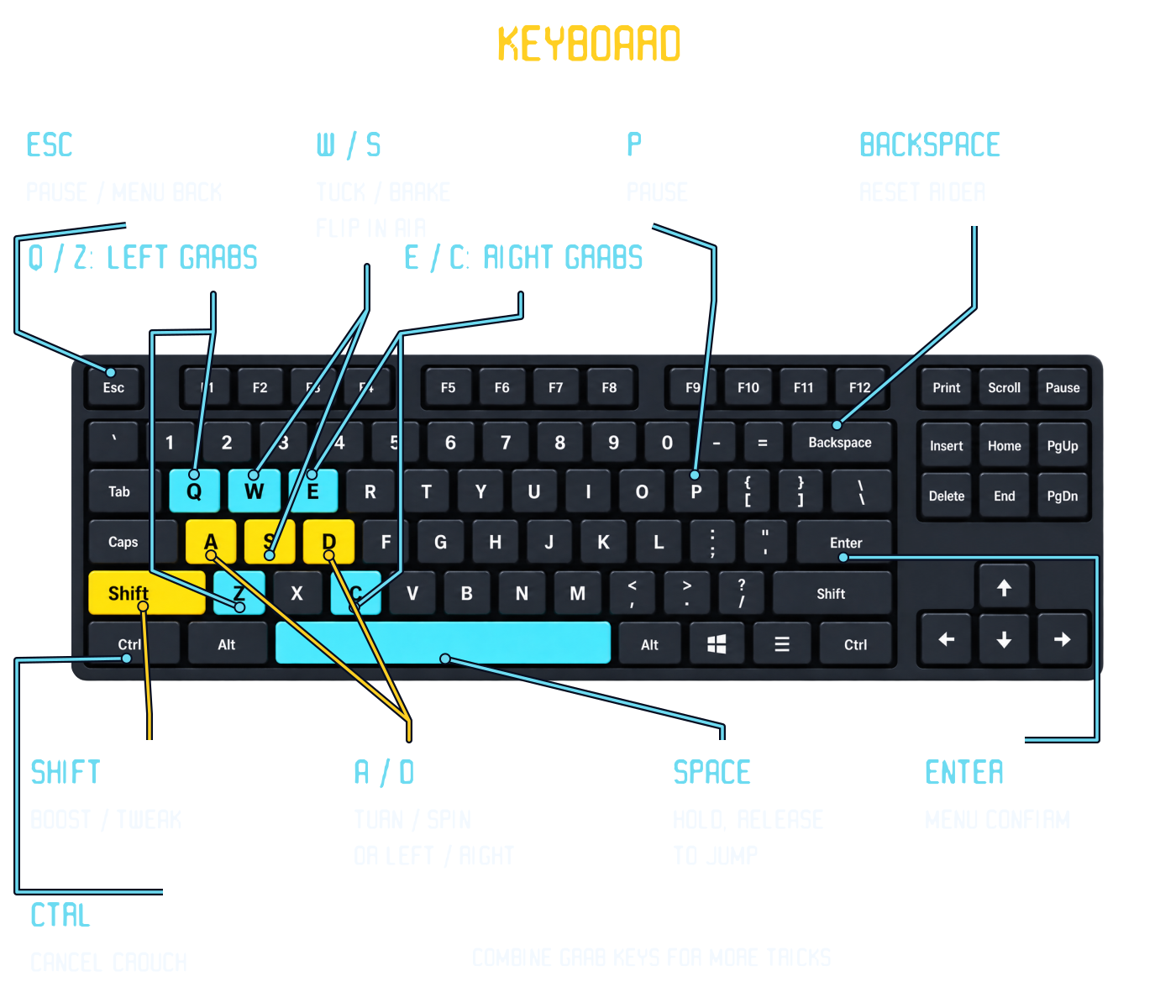
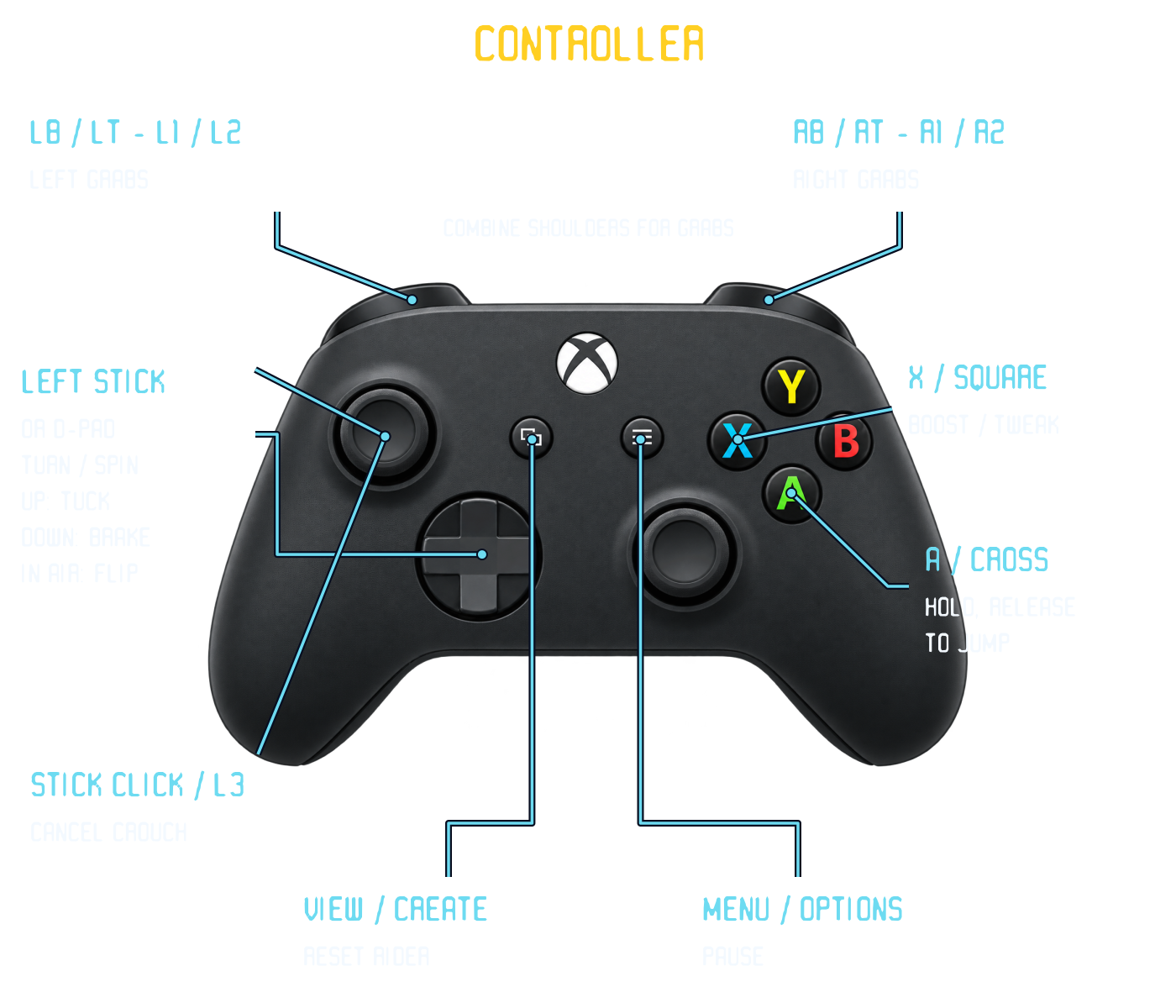
Click or tap the game for sound and keyboard focus. Full screen: F. On phones, use the on-screen buttons; landscape works best.
First time installing?
Mac: Open the DMG, then drag SX Trickier into Applications. This early build is not notarized by Apple. If macOS blocks it, try opening it once, then go to System Settings → Privacy & Security → Open Anyway. Intel Macs are not supported.
Windows: Extract the entire ZIP, then open SX-Trickier.exe. Keep its game pack beside the executable.
Linux: Requires glibc 2.38 or newer. Extract the archive, then run SX-Trickier.sh. The archive preserves executable permissions. A Vulkan-capable graphics driver is recommended.